Facility user unable to add passenger
Last updated: May 28, 2026
When a Facility User is attempting to add a trip for a passenger, they may encounter an error message like this:
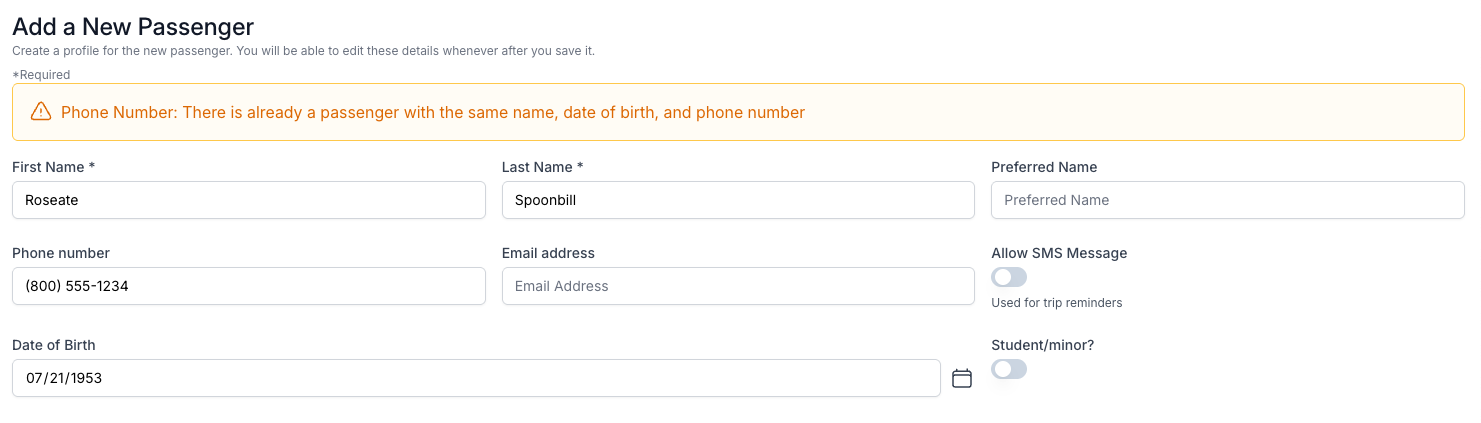
⚠ Phone Number: There is already a passenger with the same name, date of birth, and phone number
This error occurs because Bambi is preventing the user from creating a duplicate passenger in your database. A passenger already exists with the same name, DOB, and phone number, so the user cannot create a duplicate of that same passenger.
If Facility Users need to be able to create trips for this passenger, you must link the passenger to their facility's Payer in Bambi. You can do this manually for any existing passengers, and then instruct the Facility Users to select this option when they create new passengers in the future.
To link an existing passenger to a payer:
Go to the Passengers page in your Bambi dashboard.
Locate the passenger in the list.
Click the Edit icon on the right side of that passenger's entry on the list.
In the Payers section, click the dropdown and select all Payers for the facilities this passenger should be associated with.
Click Save at the bottom to save your changes.
To link a passenger to a payer when creating the passenger:
In the Add Passenger page, select the Payer from the dropdown.
Toggle on the option to Link Passenger to Payer to the right of the Payer field.
Click Create Passenger to save.