Download Invoices To QuickBooks
Last updated: March 27, 2026
1. Navigate to “Billing” on the top navigation and “Invoices” Sub-Menu
2. Select any Invoice(s) to Export by Clicking the “Download Cloud” icon on the right side of the invoices row.
3. Select QuickBooks Report (CSV)
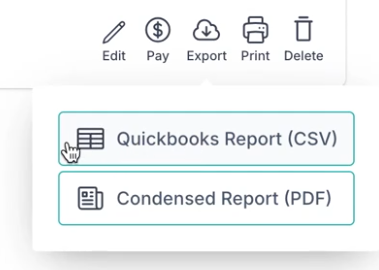
Note: This export will be in CSV format.
Note: You can also download a Condensed Report (PDF)